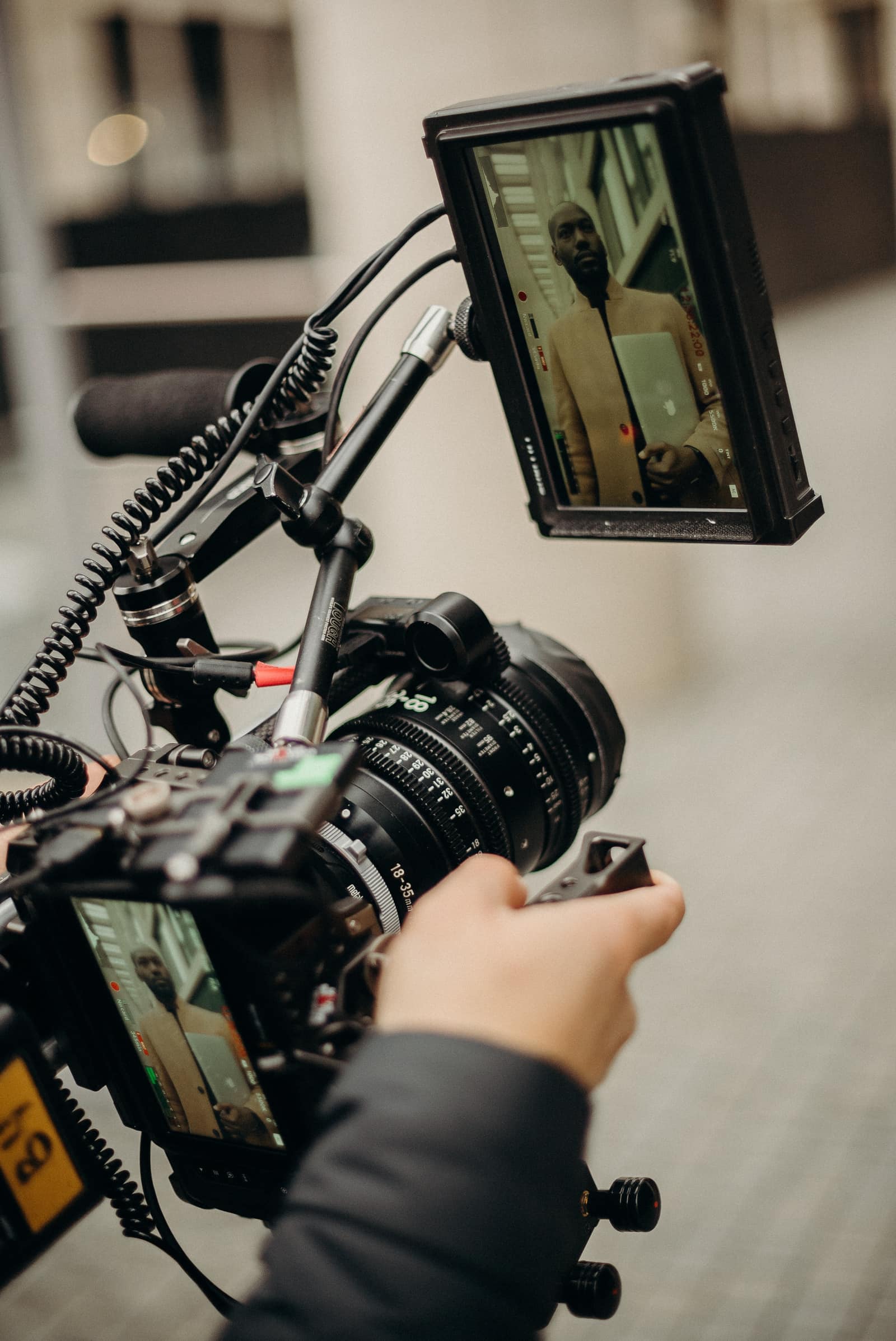
Being interviewed on camera can feel intimidating, even for experienced professionals. The combination of lights, microphones, and knowing your words will be recorded creates pressure that can make anyone uncomfortable. But with the right preparation and a few practical techniques, you can deliver confident, authentic interview footage that represents you and your brand effectively.
In this guide, we'll cover everything you need to know to look and sound your best during professional video interviews—from preparation and wardrobe to body language and delivery.
Preparing for On-Camera Interviews
Great interview footage starts long before the camera rolls. Proper preparation is the foundation of confident delivery.
Research and Talking Points
Work with your production team to understand:
- The questions you'll be asked (most professional productions share questions in advance)
- The overall narrative or message the video is trying to convey
- How your interview fits into the larger piece
- Who the intended audience is
Develop 3-5 key messages you want to communicate, regardless of the specific questions asked. These become your talking points—the ideas you'll naturally weave into your responses.
Practice Without Memorizing
Rehearse your talking points out loud, but don't memorize scripted responses. Memorized answers sound robotic and fall apart when you forget a word. Instead, internalize the key ideas and practice expressing them in different ways.
Record yourself on your phone and watch it back. This simple exercise reveals habits you might not notice otherwise—filler words, nervous gestures, or pacing issues.
Day-Before Preparation
The night before your interview:
- Get a full night's sleep (fatigue shows on camera)
- Avoid alcohol (it affects skin appearance and energy)
- Hydrate well (dehydration makes you look tired)
- Review your talking points one final time
- Lay out your wardrobe choices
Lighting Setup for Flattering Results
Lighting is the single biggest factor in how you look on camera. Professional productions handle this for you, but understanding the basics helps you know what to expect and how to position yourself.
Three-Point Lighting Fundamentals
Professional interview setups typically use three-point lighting:
Key light: The main light source, positioned at a 45-degree angle to your face. This creates depth and dimension.
Fill light: A softer light on the opposite side that fills in shadows created by the key light. The ratio between key and fill determines how dramatic the lighting looks.
Back light (or hair light): Positioned behind you, this creates separation between you and the background, adding a subtle rim of light around your head and shoulders.
Natural Light Tips
For smaller productions or remote interviews, natural light can work beautifully:
- Position yourself facing a window for soft, even illumination
- Avoid windows behind you (creates silhouette effect)
- Overcast days provide the most flattering diffused light
- Morning and late afternoon offer warmer, more flattering tones than midday
What to Avoid
- Harsh overhead lighting (creates unflattering shadows under eyes and nose)
- Mixed color temperatures (daylight and tungsten create strange color casts)
- Direct sunlight (creates harsh shadows and causes squinting)
Audio Considerations
Poor audio ruins otherwise great footage faster than any visual issue. Professional productions invest heavily in capturing clean sound.
Lavalier vs. Shotgun Microphones
Lavalier (lapel) microphones clip to your clothing and capture your voice directly. They're unobtrusive and provide consistent levels regardless of head movement. The production team will hide the microphone and cable as much as possible.
Shotgun microphones are positioned just outside the frame, pointed at your mouth. They capture more natural room tone but require you to stay in a consistent position.
Most interview setups use lavaliers as primary and shotguns as backup, ensuring multiple audio sources to choose from in editing.
Room Acoustics
Hard surfaces create echo and reverb that degrades audio quality. When possible, interview spaces should include soft materials—curtains, carpets, furniture—that absorb sound. If you're in a conference room with glass walls and hard floors, your production team may bring acoustic blankets to improve the environment.
Your Role in Good Audio
- Speak at a consistent volume
- Avoid touching or bumping the lavalier microphone
- Pause and restart if you hear external noise (sirens, airplanes, HVAC systems)
- Minimize jewelry that might click against the microphone
What to Wear on Camera
Your wardrobe affects how you appear on screen and how the camera technically handles your image.
Do Wear
- Solid colors: Navy, forest green, burgundy, and jewel tones look great on camera
- Brand colors: If appropriate, incorporate your company colors subtly
- Well-fitted clothing: Avoid anything too tight or too loose
- Layers: A blazer or jacket adds visual interest and structure
- Matte fabrics: Avoid shiny materials that create hot spots under lights
Avoid
- Busy patterns: Stripes, checks, and small patterns create a moiré effect (visual distortion) on camera
- Pure white: Can blow out under lights and draw attention away from your face
- Pure black: Can crush into shapeless darkness and reduce contrast
- Large logos: Unless intentional, prominent branding looks like an advertisement
- Noisy jewelry: Anything that jingles, clinks, or catches the microphone
Grooming Considerations
- Matte makeup or powder reduces shine (even for men)
- Avoid dramatic changes to hair or appearance right before filming
- Facial hair should be trimmed and neat
- Check teeth and face before filming starts
Body Language and Eye Contact
Non-verbal communication conveys as much as your words. Confident body language reinforces your message.
Posture
Sit up straight with your shoulders back and slightly forward. This projects confidence and keeps you alert. Avoid leaning back (appears disengaged) or hunching forward (appears nervous).
If you're seated, sit toward the front of your chair rather than sinking into it. Cross your ankles rather than your legs to maintain an open posture.
Hands
Your hands can emphasize points naturally, but nervous fidgeting is distracting:
- Rest hands in your lap or on a table when not gesturing
- Use deliberate gestures to emphasize key points
- Avoid touching your face, hair, or jewelry
- Keep hand movements within the frame
Eye Contact
For most interview setups, you'll speak to an interviewer positioned just off-camera rather than looking directly into the lens. This creates a natural conversational feel.
- Look at the interviewer's face (not the camera) unless specifically directed otherwise
- Brief glances away are natural; sustained looking away appears evasive
- If there's no interviewer, pick a spot just beside the camera lens to focus on
Teleprompter vs. Natural Delivery
Some video productions use teleprompters to ensure precise messaging. Others rely on natural, conversational responses.
Teleprompter Pros
- Ensures exact wording for legal, compliance, or technical accuracy
- Reduces anxiety for those uncomfortable with improvisation
- Creates consistent pacing and timing
Teleprompter Cons
- Can appear robotic if not well-rehearsed
- Requires practice to read naturally
- Limits spontaneity and authentic reactions
Natural Delivery Pros
- More authentic and engaging
- Allows for natural variation and emphasis
- Better suited for storytelling and emotional content
Natural Delivery Cons
- Requires comfort with improvisation
- May require more takes to get usable responses
- Risk of forgetting key messages
Most professional interview productions favor natural delivery with talking points over teleprompter scripts, reserving prompters for specific technical or compliance-driven content.
Common Interview Mistakes to Avoid
Even experienced professionals make these common mistakes:
Fidgeting and Movement
Nervous energy often manifests in:
- Swiveling in chairs
- Tapping feet or fingers
- Playing with jewelry, pens, or hair
- Shifting weight constantly
These movements are magnified on camera. If you tend toward nervous movement, plant your feet firmly on the floor and keep your hands visible in a resting position.
Filler Words
"Um," "uh," "like," "you know," and "so" are natural in conversation but distracting in edited video. Practice pausing silently instead of filling space with verbal tics. A brief pause before answering actually appears thoughtful, not awkward.
Rushing
Nervousness causes people to speak faster. Consciously slow down. What feels painfully slow to you typically appears natural on camera. Leave space between sentences for editing cuts.
Looking at the Camera When You Shouldn't
If you're speaking to an interviewer, keep your focus there. Glancing at the camera breaks the conversational illusion and can appear shifty.
Answering Before the Question Is Finished
Let the interviewer complete their question, pause for a beat, then respond. This ensures clean audio without overlapping voices and gives you time to formulate a complete response.
How FogLine Visuals Makes Interviewees Comfortable
At FogLine Visuals, we understand that the best interview footage comes from comfortable, confident subjects. Our approach prioritizes putting you at ease:
Pre-interview briefing: We share questions in advance and discuss the overall direction of the piece so there are no surprises.
Comfortable environment: We take time to set up properly, test equipment, and ensure the space feels professional but relaxed.
Conversational approach: Our interviewers are skilled at creating natural dialogue that brings out authentic responses rather than rehearsed talking points.
Multiple takes when needed: We build in time for another take. If a response doesn't feel right, we do it again rather than settle.
Positive reinforcement: We let you know when you've delivered something great, building confidence throughout the session.
Our goal is footage that captures you at your best—articulate, confident, and authentic.
Conclusion
Looking great on camera isn't about being a natural performer—it's about preparation, awareness, and working with a production team that prioritizes your comfort. The techniques in this guide will help you deliver confident, engaging interview footage that effectively communicates your message.
Remember: the production team wants you to succeed. They're not trying to catch you in awkward moments—they're working to capture you at your best. Trust the process, prepare thoroughly, and let your expertise and personality shine through.
You can also record at our podcast and video studio in SoMa.
Ready to create compelling interview content for your business? Contact FogLine Visuals to discuss your project and learn how we make every interviewee look and sound their best.
Francisk Hanchar
Founder, FogLine Visuals
Francisk Hanchar is the founder of FogLine Visuals, a video production company in San Francisco. He produces video podcasts, launch videos and event coverage for startups, and hosts The Bay Signal.
About FogLine